To the page content
Includes 3 months of full access to ArtMaster.com

Includes 3 months of full access to ArtMaster.com – your online music learning platform for music production, songwriting and viral TikTok-style music creation.

When you purchase this studio product, you receive a free 3-month voucher worth EUR 59, valid from 2nd december 25 to 28th february 26, giving you full access to premium online courses focused on modern production techniques, beat-making, vocal editing, creative workflows and content-ready sound design.

ArtMaster.com – your e-learning partner created with industry professionals such as Sam Pounds (Chris Brown, Dr. Dre), Printz Board (Black Eyed Peas, Justin Timberlake), and Chris Kasych (Adele, Beck, Pharrell Williams). Learn from over 500 video lessons designed for producers, creators and songwriters — covering DAW production, mixing fundamentals, arrangement, hooks for TikTok, and essential skills for turning ideas into release-ready tracks.

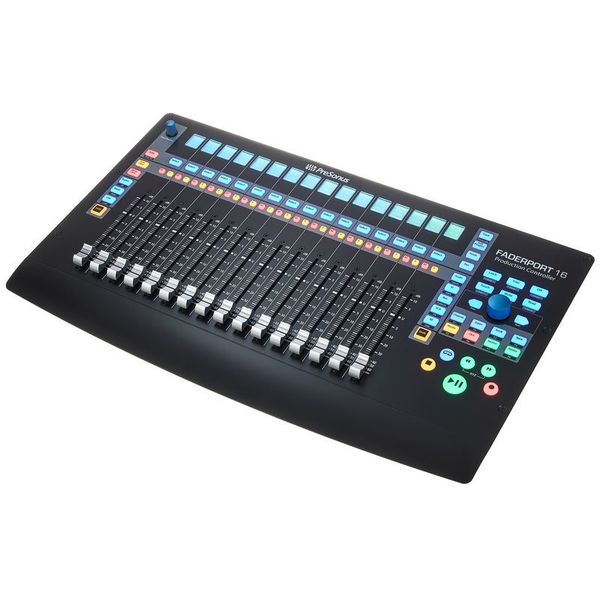
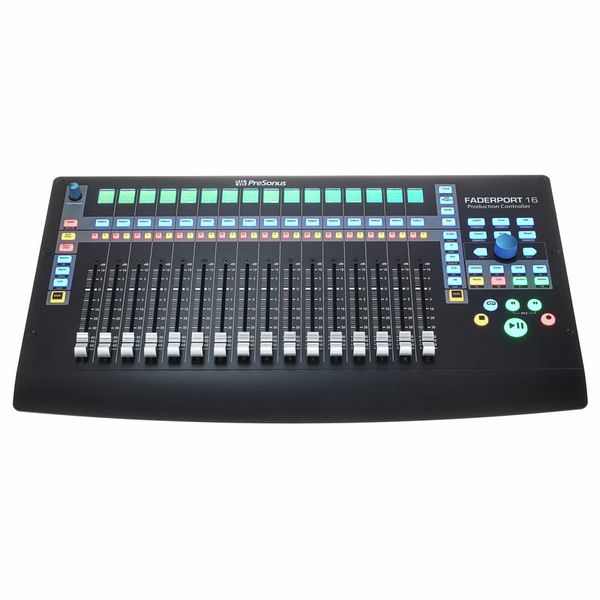
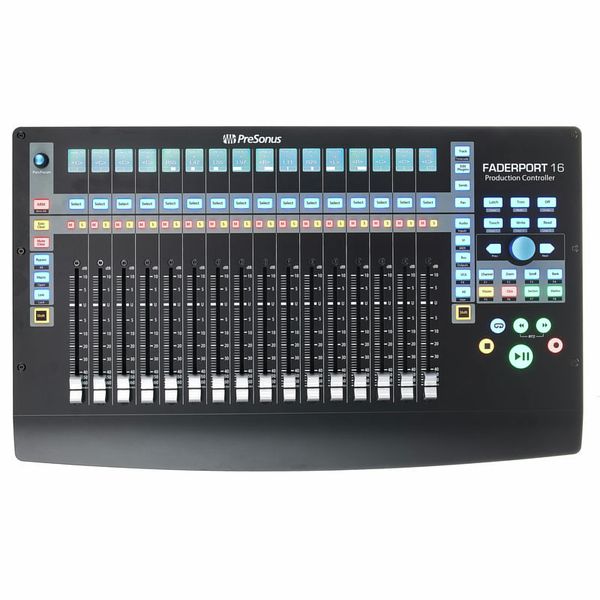
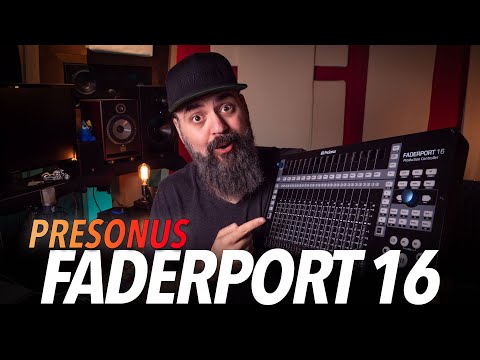
16-Channel DAW Production Controller

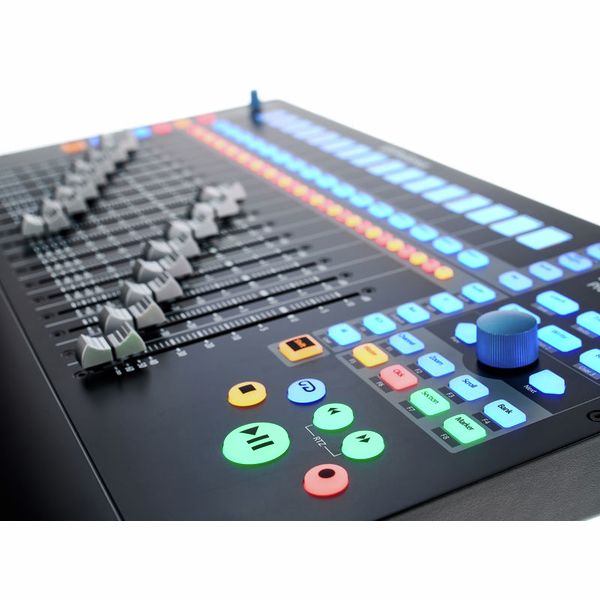
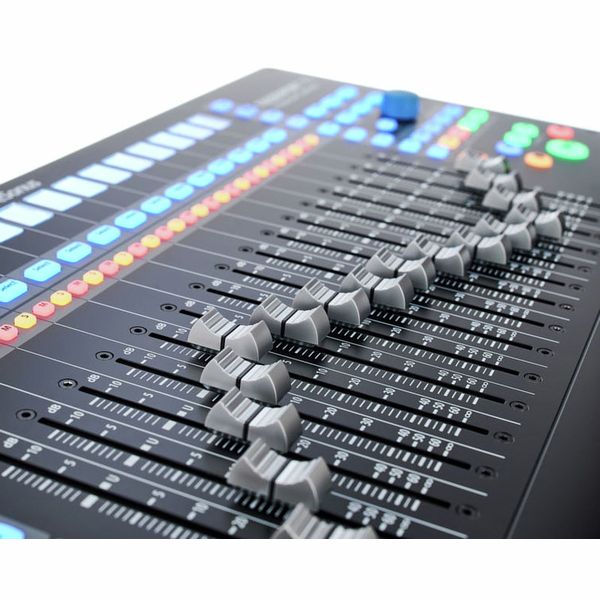
  • 16 professional, touch-sensitive 100 mm motorised faders (dual servo drive belt)
  • High fader resolution: 10 bits/1,024 steps
  • 85 backlit and status-illuminated buttons
  • 104 controllable functions
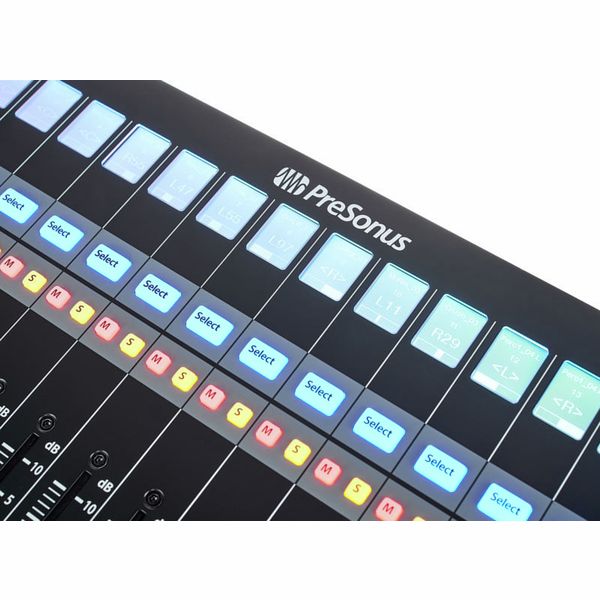
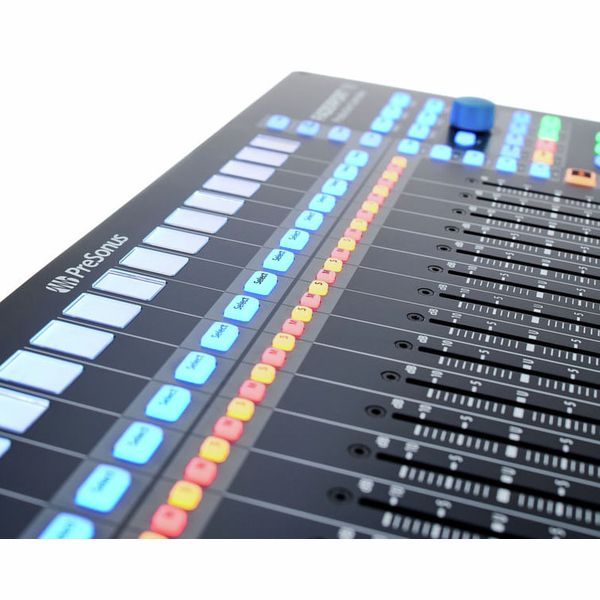
  • 16 high-resolution LC displays as digital labelling fields
  • Time code and level display
  • Small encoder as panpot and other selected parameters
  • Large data wheel with push button for scrolling, zooming, navigating and much more
  • Two arrow buttons for step-by-step navigation and setting
  • Transport control, track control, automation control
  • Session navigator, fader modes, mixer view
  • Undo/redo, click track on/off, tap tempo, set marker, plug-in parameters and much more
  • Four programmable user buttons
  • Eight function buttons
  • Native Studio One support, HUI and Mackie Control selectable
  • Compatible with ProTools, Logic, Cubase, Ableton, Nuendo, Bitwig, Reaper, Digital Performer and others
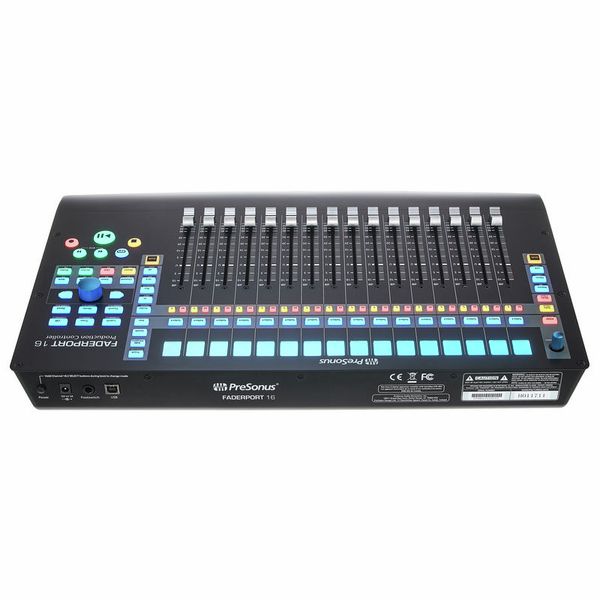
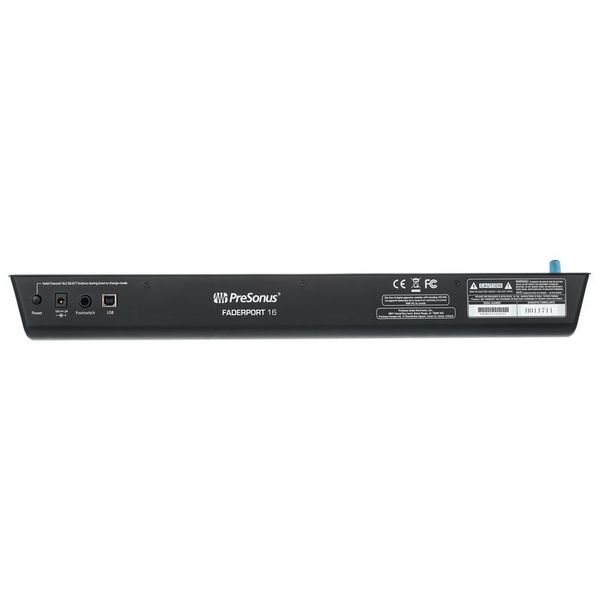
  • Jack socket for optional footswitch (start/stop commands)
  • No driver installation necessary
  • Power supply: External power supply (12 VDC/2 A)
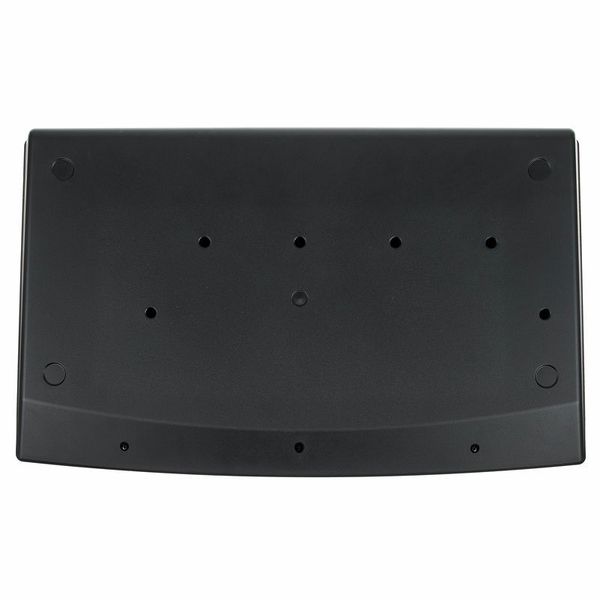
  • Dimensions (W x D x H): Approx. 498 x 302 x 53.6 mm
  • Weight: 3.63 kg
  • Includes Presonus Studio One Pro (Download)
  • Suitable protective cover: Art. 516108 (not included)

System requirements:

  • Macintosh OS X 10.8.5 or later
  • Intel Core 2 Duo (Intel Core i3 or faster recommended)
  • Windows 7 x64/x86 SP1 + platform update
  • For Windows 8.1/x64/x86
  • For Windows 10/x64/x86
  • Intel Core 2 Duo (Intel Core i3 or faster recommended)
  • Available since January 2018
  • Item number 424629
  • Sales Unit 1 piece(s)
  • USB Yes
  • Bluetooth No
  • 5-pole DIN MIDI No
  • Ethernet No
  • Fader 16
  • Rotary Encoders 2
  • Audio I/O No
  • Transport Function Yes
  • Footswitch connection Yes
  • Foot Controller Connection No
  • Bus-Powered No
  • Jog Yes
  • Joystick No
  • Additional Features LCD Display per Channel
11.555 kr
All prices incl. VAT
In stock
1

A hands-on approach to mixing

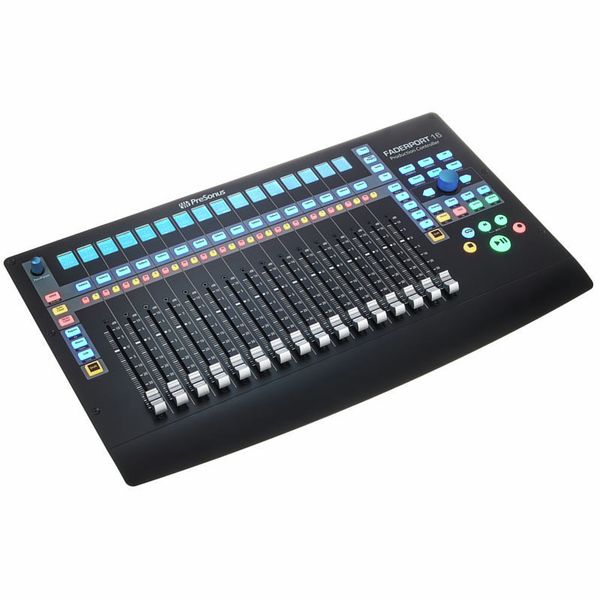
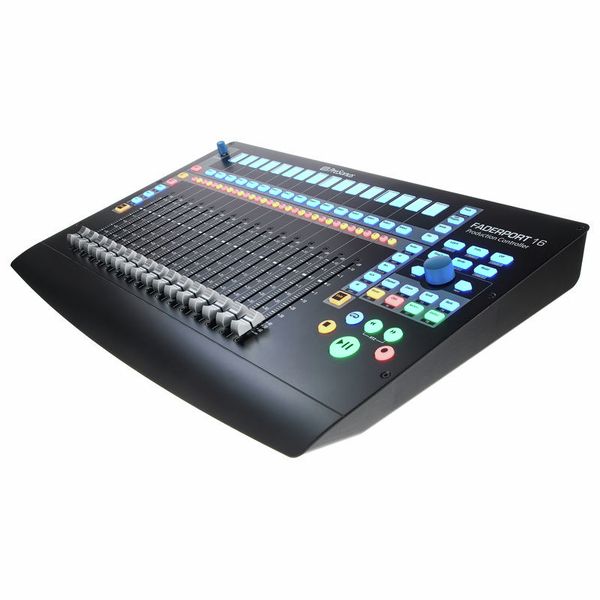
For those who prefer a tactile, hands-on approach to mixing rather than relying solely on a mouse and keyboard, the PreSonus FaderPort 16 offers intuitive and precise DAW control. Featuring sixteen touch-sensitive, motorised faders, this expanded version of the FaderPort 8 delivers a smooth, responsive mixing experience for music producers and engineers handling larger sessions. The 89 RGB-lit buttons provide instant access to key functions, while a high-resolution rotary encoder facilitates track navigation, zooming, and precise parameter adjustments. While the deepest integration is with Studio One, where the faders operate at full 1024-step resolution, the FaderPort 16 is also fully compatible with other DAWs via Mackie Control and HUI protocols, adapting to diverse production workflows.

Presonus Faderport 16, 16-Channel DAW Production Controller

Precise real-time feedback

Each fader is paired with a high-resolution LCD screen, providing clear visual feedback on assigned parameters. The 100mm motorised faders automatically adjust to reflect the active DAW settings, ensuring precise, real-time control across larger mixes. Dedicated buttons allow users to arm, mute, solo, and pan tracks, while four assignable function keys offer custom workflow enhancements. The large clickable encoder enables smooth scrolling, selection, and zooming, ensuring an intuitive navigation experience across multiple tracks and effect parameters. The Session Navigator gives producers direct access to essential DAW controls, optimising their workflows and minimising the need for on-screen interaction.

Presonus Faderport 16, 16-Channel DAW Production Controller

Efficient mixing and automation

The FaderPort 16 is designed to accelerate the workflow of engineers managing complex projects with high track counts. The motorised faders allow for seamless automation recording, enabling smooth, accurate parameter adjustments in real time. Dedicated transport controls, including colour-coded Play, Stop, and Record buttons, further streamline workflow by reducing reliance on mouse-based commands. While Studio One users benefit from deep integration, offering precise automation curves and plug-in control, third-party DAW users will still experience a highly efficient and responsive mixing experience through MCU and HUI protocols.

Presonus Faderport 16, 16-Channel DAW Production Controller

About Presonus

Presonus is a US company founded in 1995 by Jim Odom and Brian Smith in Baton Rouge, Louisiana. The firm designs hardware and software at both professional and more affordable levels for musicians and producers. Presonus first made a splash in the mid-1990s with the DCP8, an eight-channel analogue compressor/limiter/gate with fader and mute automation that could be digitally controlled by MIDI. In the early 2000s followed a series of microphone amplifiers and the first audio interfaces for the then-emerging home studio scene. Today, the company's product range includes audio interfaces, microphone preamps, digital mixing consoles, and studio monitors as well as the established DAW software Studio One.

Plug-and-play, no drivers necessary

The Presonus Faderport 16 is plug-and-play, meaning it requires no additional drivers to operate – as soon as it's connected to a computer, it's ready to use. Studio One Artist is included, providing instant compatibility with the PreSonus DAW ecosystem. Thanks to Mackie Control and HUI support, the FaderPort 16 integrates with other DAWs such as Pro Tools, Cubase, Logic Pro, and Ableton Live, though functionality may vary depending on the software. While Studio One users benefit from full integration, third-party DAW users may experience some limitations in fader resolution and plug-in control. Nonetheless, with its compact footprint, professional-grade motorised faders, and intelligent workflow enhancements, the PreSonus FaderPort 16 is a versatile and powerful mixing controller for modern music production everywhere.

74 Customer ratings

4.6 / 5

handling

features

quality

49 Reviews

b
Glitchy scribble strip, but otherwise great
bmullen87 22.10.2019
I primarily bought this controller to use specifically with Studio One, which is the main DAW I use for working with audio. As such my expectations were a very tight knit integration with the DAW. By and large I've been very happy with this, and while I'd love there to be a solution to make more tactile use of plugins on channels etc the technology hasn't really advanced that much yet. Nonetheless using this for Studio One is great and a far better experience than click with a mouse or using keyboard exclusively. I do still use both in conjunction with the controller, but each interface to its own strength.

Pros - 16 faders makes mixing a breeze. There's a nice long throw on the faders and although they can be a little jittery at times when playing back automation I've found them very smooth to the touch. I also make a lot of use out of the transport controls, in particular the one big click encoder. The controller itself is nice and lightweight and doesn't take up a huge amount of space.

Cons
The scribble strip is glitchy. By this I mean I'll often turn the controller on and the first four items will simply display blank instead of informing me what's on those channels. This is usually solved by switching the controller off and back on - but this really seems to me like something that just wasn't tested and fixed before manufacturing. It seems like many other users have the same problem. This is why I have deducted points from quality. Also the positioning of these above the faders, and the use of quite small screens on them make them difficult to make out. Maybe it's me coming from old school world, but I'd instinctively have my scribble strip below the faders if they were the old "write on them yourself" kind, and that's where I'd expect to see them. Some people will complain about there only being one pan knob. This doesn't bother me, but.... it might be a consideration for other people.

Overall though I very much enjoy the experience of using the faderport - minor niggles aside!
quality
features
handling
10
1
Report

Report

V
High quality controller, could use some kind of kickstand option
Vanjanja 18.12.2019
Very impressed with it. I use it with Studio One, and the integration is flawless, it really speeds up the workflow. The faders feel nice, they are responsive and fast, and it really feels like a real analog mixer. Lots of features, basically covers everything you may need out of a DAW controller. However, the angle it lays on the desk is basically totally flat, so, if it's not right in front of you, you may have difficulty viewing the small scribble screens. It would be great if it had some kind of kickstand legs at the end just so you can adjust the angle if needed. I'm going to try my luck with a laptop stand, but for now, I just have a rolled up towel at the other end, so it's raised up a little.
quality
features
handling
9
0
Report

Report

c
Problems with the encoder
chronomic 13.03.2020
When adjusting the blue encoder in the clockwise, in some cases it makes ghost "clicks" (I twist it in two steps — it makes three and after go back on one step. It seems to be minor problem, but annoying so much. In case you'll transport in the mixer section to the last channel and this "bug" appears the cursor goes back to previous to the last channel despite it has not to be there. So, it's not only annoying but doesn't work the way it should.
The second problem is "absence" of adequate fader calibrating. Even after doing it, the accurate is among 0.2-0.4dB.
Anyway, it`s so good and pleasant controller for me, as a Studio One user.

Everything related to the service was excellent — fast,
with high quality and without extra questions as it happens.

Pros:
+ good materials and design, it is pleasant to touch
+ best functionality for this price
+ really improves the workspace, mainly with the Studio One

Cons:
- glitchy encoder (big blue knob)
- rarely bugs with the scribble strip and some fader modes.
quality
features
handling
3
0
Report

Report

LC
A bit of a dissapointment
Lord Cabot 20.08.2022
I am an Ableton Live user and I wanted a controller with motorized faders.
Though kind of supported, when all is said and done - it's superficial at best.

My biggest three complains:
1) There is no metering on the channels, rendering the unit almost useless since you can't tell what channel is outputting, but, rather you need to read the ancient, low quality, monochrome LCD display that has terrible view angle to make sure you loose any possible emersion and break your flow.
Technically there is a way to enable metering on these small LCD's but get this - it's different then the Live's. It's some kind of average that looks unnatural and frankly I hate it.
2) It doesn't understand drum racks. I love Live's drum racks and use them all the time. In Live you can expand them and use faders, but Faderport is clueless and you'd need to make a new channel for each element instead.
This means I'm not using the unit at the start of my projects and then I just forget it exists. Really bad, would be a huge improvement.
3) After replacing the unit with something else I thought ok, maybe I can use it for something else, like the inputs on my RME UFX+ or something.
After opening a ticket Presonus has made it clear that it's "only a DAW controller". And not a very good one at that.

Some good sides would be the faders - they are big and feel nice. But it feels as an incomplete solution.

I am sorry to say but I regret buying this unit, at least as an Ableton user. Maybe it's amazing for some other DAW's but I'd advise Ableton users to pass on this.
quality
features
handling
7
2
Report

Report