To the page content

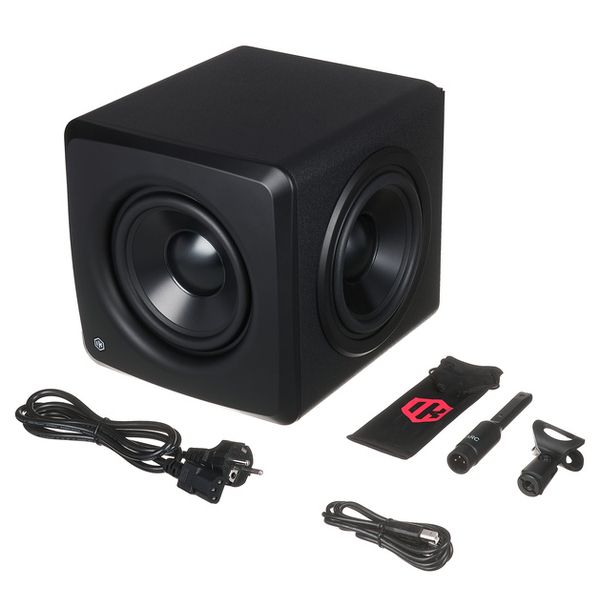
Active Subwoofer

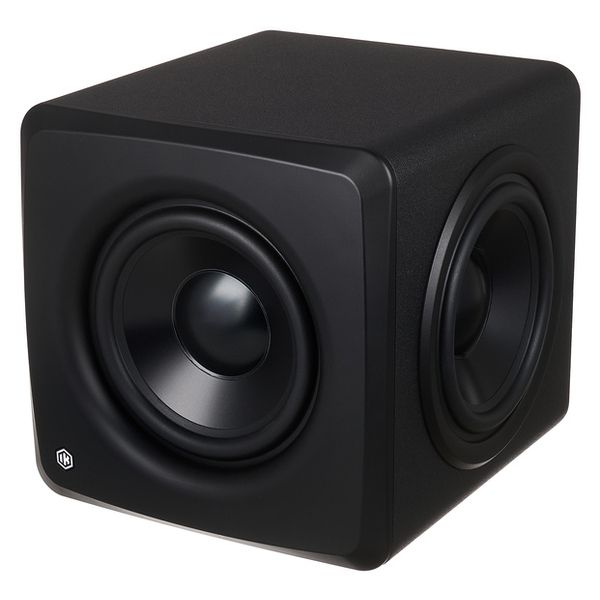
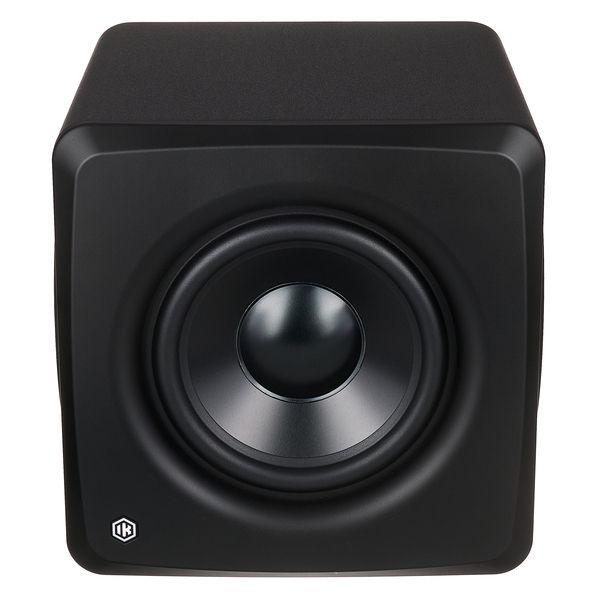
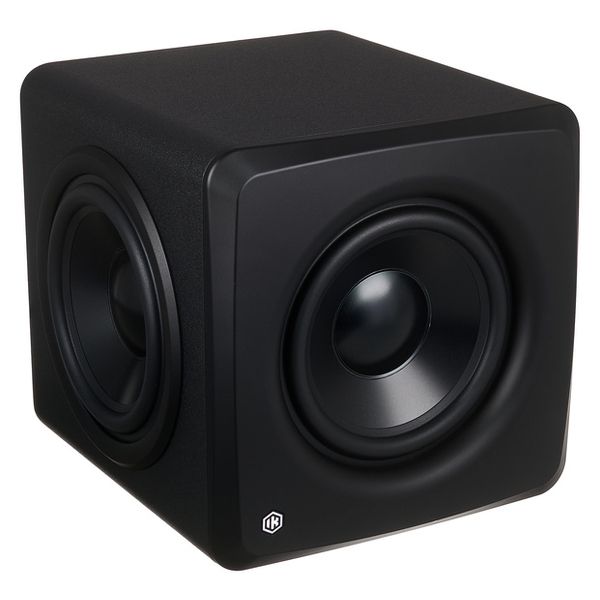
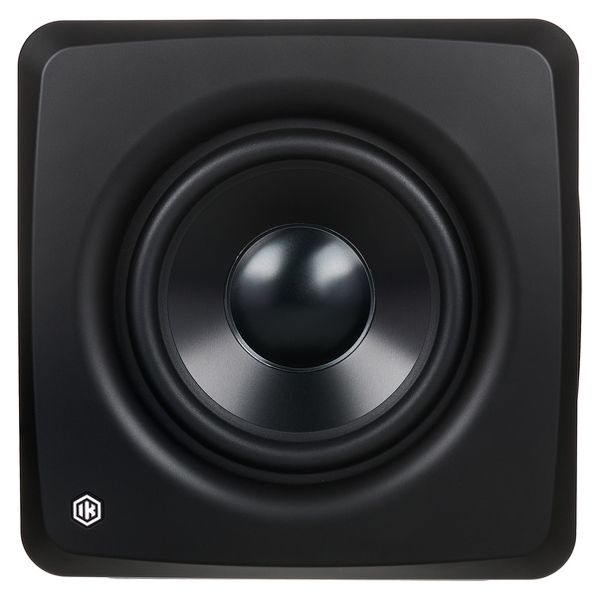
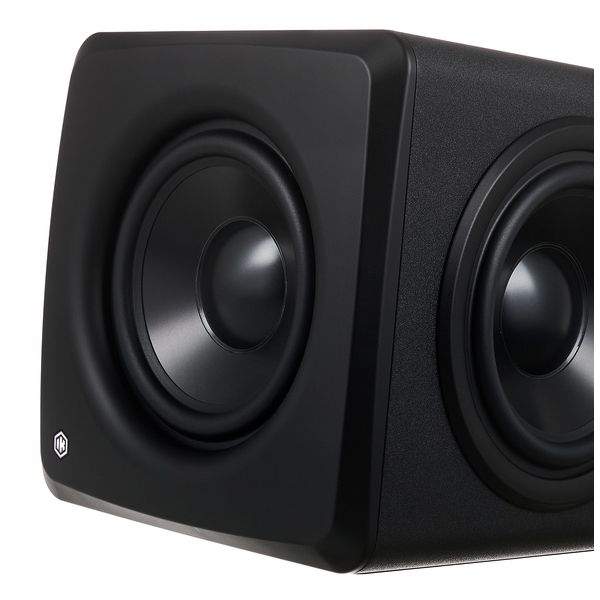
  • Ultra-compact active studio subwoofer with built-in speaker calibration
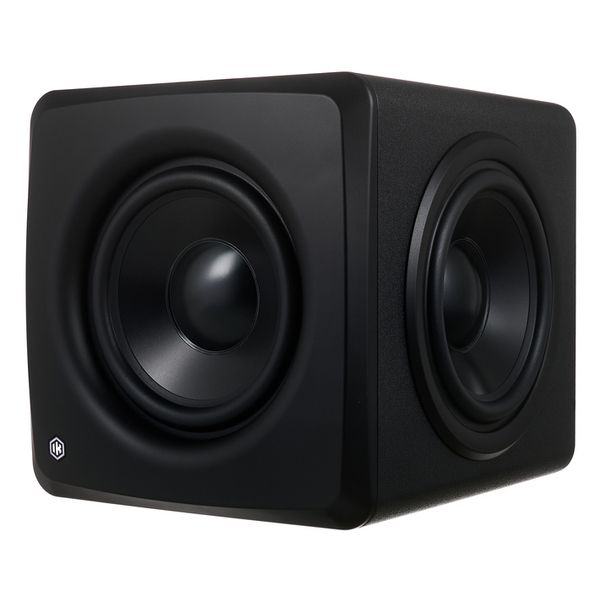
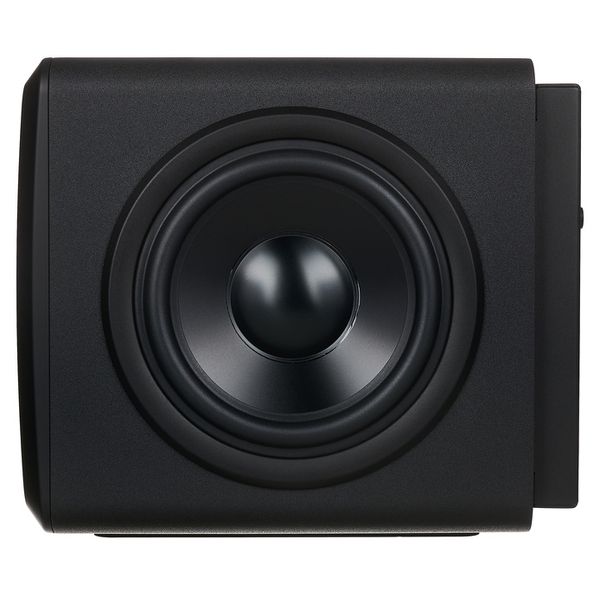
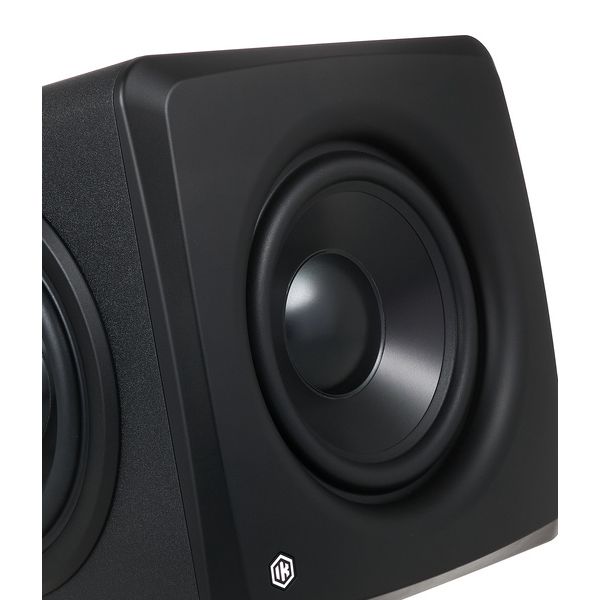
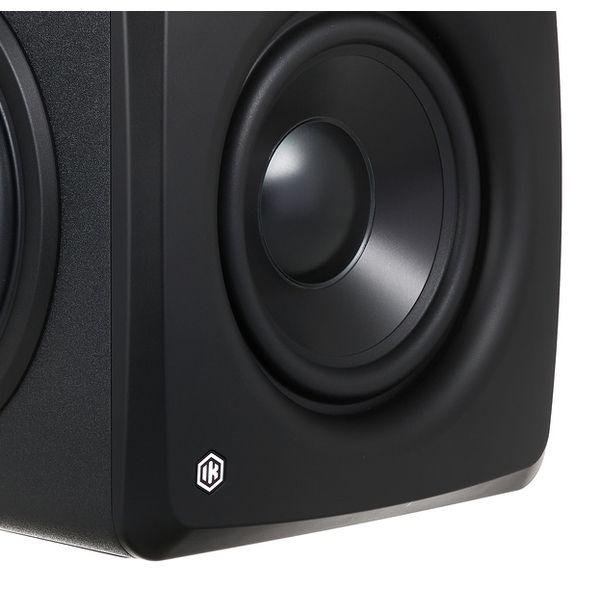
  • Equipped with: 6.5" woofer and 2 x 6.5" passive radiators
  • Power: 160 W RMS, 200 W peak
  • Frequency range: 25 – 150 Hz @-6 dB
  • Max. sound pressure level at 40 Hz: 106 dB Peak
  • Integrated ARC room correction for subwoofers and connected monitors
  • Automatic phase adjustment
  • Volume and EQ optimisation
  • Bluetooth
  • Auto standby
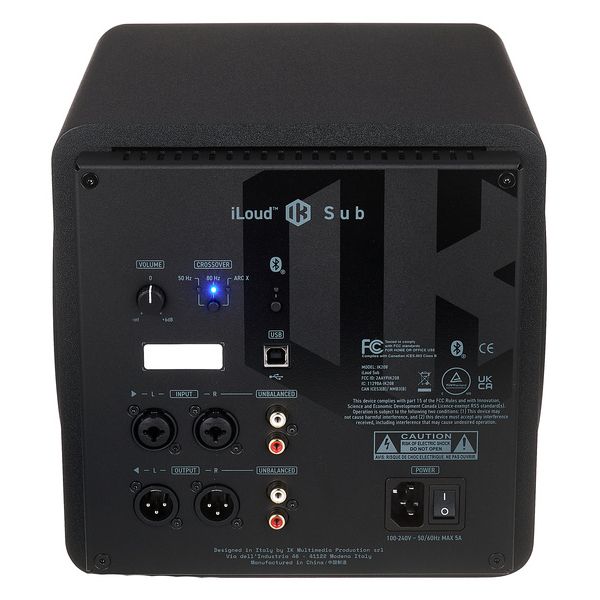
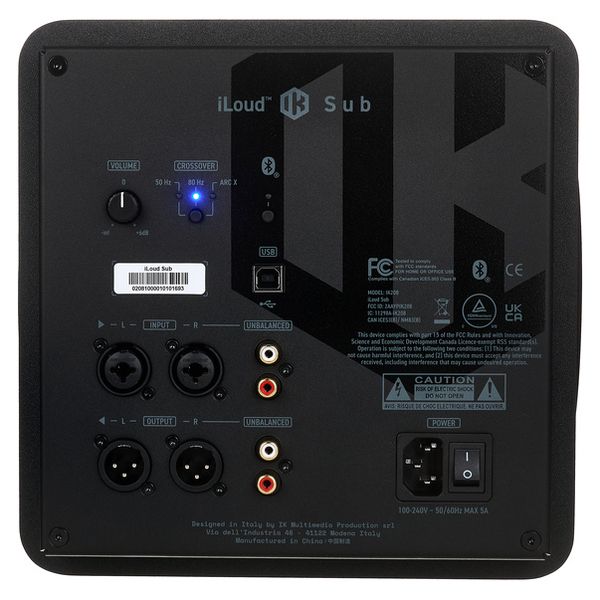
  • Inputs: 2 x XLR/6.3 mm TRS jack combo
  • Output: 2 x XLR
  • RCA input and output
  • USB connection for data and audio
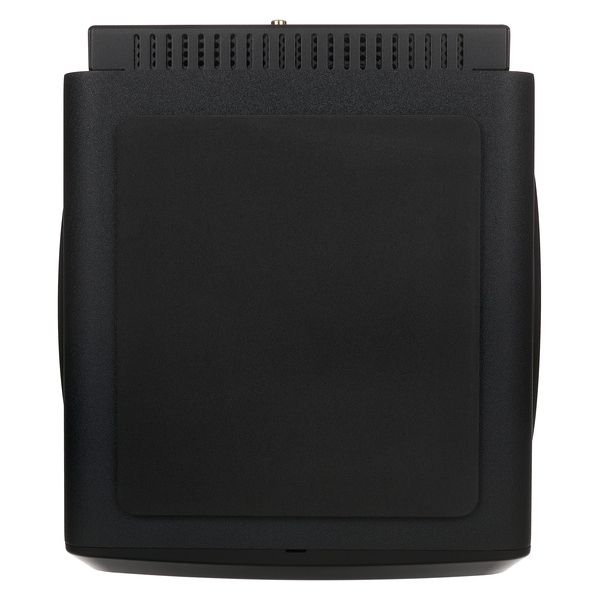
  • Dimensions (H x W x D): 244 x 250 x 283 mm
  • Weight: 7.1 kg
  • Includes ARC X software
  • Available since December 2025
  • Item number 630243
  • Sales Unit 1 piece(s)
  • Components 1x 6,5"
  • Power 200 W
  • Frequency range 25 Hz – 150 Hz
  • Conectors XLR,RCA, USB
  • Measurements 244 x 250 x 283 mm
8.999 kr
All prices incl. VAT
In stock
1

3 Customer ratings

4.7 / 5

features

sound

quality

2 Reviews

Y
IK iLoud Sub review
Yaspeedy 16.01.2026
Installing the Sub.
The physical installation was simple enough. As per the website instructions, download and install the software first. If you want to use the room correction feature (and why wouldn’t you) then you’ll need to download both the ARC X software and the iLoud ASIO driver.

Remember to set the top monitor speakers to high pass at 80Hz, so preventing them from handling the low frequencies which the Sub will deal with once everything has been set up.
The audio connections are as follows. (I used the balanced, XLR ins and outs.)
Connect two cables for the Left and Right channels from your audio interface’s monitor output to the L and R inputs of the Sub. Connect two cables for the Left and Right channels from the Sub L and R outputs to the top monitor speakers. Connect a USB cable and the power cable to the Sub, and you’re done.

Issues I had.
(Skip to The USB connection section.)
Some information about the USB connection that wasn’t immediately obvious to me.
The USB connection requires the iLoud ASIO driver (available from the IK iLoud website) to be installed. Initially, I couldn’t get my ARC X program to progress beyond the Layout page. As advised in the instructions, I had set up ARC X to be Stereo + Sub. However, despite being able to choose my audio interface as a Device, I was unable to select the iLoud Sub on the drop down Devices menu for the Sub, since it simply didn’t appear as an option. (These settings being on the panel on the right side of ARC X page.) This was preventing me from completing this task and being allowed to move on to the next step. At this point, I noticed that the Calibrate, Edit and Remote options on the left side of the ARC X page were greyed out.
An email to IK UK received a fast response (within a few minutes) and advised me to check my Widows 11 device drivers (via Windows Control Panel) to determine that the iLoud Sub ASIO driver had been loaded, and also to check and replace my USB cable if necessary.
Turns out that the iLoud Sub ASIO drivers were not showing in the Windows Drivers panel (under Sounds and Game Devices). So, I reinstalled the iLoud Sub ASIO driver, then rebooted Windows. The iLoud Sub ASIO driver was now showing in the Windows device drivers list.
I also took the opportunity to reconnect the USB cable directly into a USB port, as opposed to using the passive USB Hub which I had initially connected to.
Now I was able to see and select the iLoud Sub as an option in the ARC X Driver drop down menu. After choosing the iLoud Sub option, I was able to move on to the Calibration option which, along with the Edit and Remote options, was no longer greyed out and, so, available to me. All sorted, with grateful thanks to IK support.

The USB Connection.
It is important to realise that:
1. The ARC X program will not see the Sub without the USB connection.
2. When the USB is connected all audio from the PC will be sent over this USB link.
Once ARC X has been used to calibrate the Sub and top monitors, and any other adjustments are made, then the resulting calibration should be saved to (i.e. stored in) the Sub. Once this has been done, then the USB connection can be removed and your PC’s audio output directed back to your audio interface. This now allows the audio interface to control the audio volume of the whole system - which it cannot do when the USB connection is engaged.

Calibration, Edit, Save and Remote settings.
Following advice I saw somewhere, I temporarily marked out the 7 calibration positions on the floor using masking tape. I ran the 21 point calibration sequence without any problems being careful to follow the instructions.
When completed, I checked the Edit page and left it at the Default settings. (Default gives a slight low end boost along with a slight high end cut.)
I didn’t do anything with the Remote page at this point.
I then saved my calibrated and edited settings with a unique name.
This saves the configuration to the PC for recall by the ARC X program at a later date.
However, it’s important to realise that the configuration also needs to be uploaded to the iLoud Sub, too. This saves a copy of the calibration directly to the Sub such that, when you subsequently disconnect the USB cable, then your chosen calibration is active within the system.
Assuming that you will want to control your audio output of your PC from your audio interface (I know that I certainly do but your needs may be different), then you will want to disconnect the USB cable.

Observations.
Most obvious was the difference in the sound of the audio. While the ARC X was still connected, I switched between it being Off and On using the Bypass switch in ARC X. What a vast improvement, in my case. I knew from previous experiences that I had difficulty in my room with low end. I had previously set up some DIY sound absorption but this seemed to make little to no difference. However, now with the room calibration switched on, WHAT a difference. The low mids and low end seem much more even and defined. Before, it was just a mish-mash of indistinct parts.
The difference truly is amazing. It’s like an entirely different room. I am totally delighted with the vast improvement in my room sound. For me, the iLoud Sub has been an extremely worthwhile investment which has hugely transformed my monitoring system.
Based on my experience, I can heartily recommend IK’s iLoud Sub. Superb.
features
sound
quality
2
0
Report

Report

google translate de
Unfortunately there was an error. Please try again later.
DS
Guter kompakter Subwoofer - aber ein Start mit Stolperfallen
Daydreamz Studios 06.01.2026
Ich besitze den Subwoofer jetzt seit ein paar Tagen. Vorab sei gesagt: Ich werde ihn behalten, da ich mit dem Sound, der Größe und der Verarbeitung sehr zufrieden bin.

Bisher hatte ich als Monitor Setup zwei Bowers & Wilkins 685 sowie zwei iLoud Micro im Einsatz. Da keiner dieser Speaker den Bereich unter 60 Hz vernünftig abbilden konnte bzw. damit überfordert war, habe ich zunächst die iLoud Micro durch zwei iLoud MTM MK II ersetzt und mich in der Folge entschieden, diese mit einem iLoud Sub zu ergänzen.

Der iLoud Sub ist, verglichen mit anderen Subwoofern, von der kompakten Sorte. Für mein kleines Heimstudio aber völlig ausreichend. Mir war bei der Auswahl wichtig, dass er sich nahtlos in den Betrieb mit den MTM MK II einbinden lässt. Ebenfalls wichtig war mir, dass auch hier dass Raum-Einmessverfahren über ein ARC Mikrofon durchgeführt werden kann, da ich keine Bass Traps an meinen Wänden montiert habe. Rückseitig verfügt der Subwoofer über zwei Ein- und Ausgänge (jeweils 1*balanced + 1* unbalanced). Ebenfalls vorhanden ein USB Anschluss, der bereits beim ersten Einsatz wichtig wird. Über einen Microschalter wählt man die Grenz- bzw. Trennfrequenz aus. Hat man den Subwoofer eingemessen, wählt man hier die Einstellung "ARC". An Bord ist ein Standard-Volume Regler sowie die Möglichkeit, eine BT-Verbindung zum Subwoofer aufzubauen (habe ich noch nicht getestet). Im Notfall kann übrigens der iLoud Sub als Soundinterface agieren, ein Treiber dafür ist bei ik-multimedia erhältlich. Auch dies habe ich noch nicht getestet.

Klang und Verarbeitung sind Top - da gibt es nichts zu meckern. Allerdings möchte ich der Ehrlichkeit halber auch erwähnen, dass ich keinerlei Vergleichsmöglichkeit zu anderen Subwoofern habe. Wie sich der iLoud Sub hier schlagen würde, kann ich nicht beurteilen. Aber allein die Möglichkeit, ungünstige Raumverhältnisse herausrechnen zu lassen, ist für mich ein Pluspunkt.

Trotz aller positiven Seiten gibt es aber auch ein paar Dinge, die mir rätselhaft bleiben. Sie beeinflussen in keiner Weise die Qualität des Subwoofers, jedoch wohl die Kundenzufriedenheit. Insbesondere ist das für Kunden interessant zu wissen, die den iLoud Sub als Ergänzung zu ihren anderen iLoud Speakers betreiben wollen.

Die iLoud MTM MK II werden mit einem ARC Mikrofon zum Einmessen ausgeliefert (sehr praktisch und vorbildlich). Ein sorgfältiges Einmessen mit mehreren Mikrofon-Positionen erfolgt über die Software "X-Monitor". Das Mikrofon wird mit einem Kabel ausgeliefert, (XLR auf 3,5mm Klinke) welches jeweils mit einem Speaker verbunden und dann eingemessen wird.
Bestellt man nun einen iLoud Sub dazu und möchte diesen im Verbund mit den MTM MK II betreiben, gibt es zwei Stolperfallen:

1. Dem iLoud Sub wird zwar ein ARC Mikrofon beigelegt, jedoch kein Kabel. Das Kabel, welches man mit den MTM MK II geliefert bekommt, ist am iLoud Sub nicht verwendbar, da dieser nicht über einen 3,5 mm ARC Eingang verfügt. Der iLoud Sub verwendet für den Einmessvorgang eine komplett andere Konstellation. Hier ist nämlich ein Soundinterface Voraussetzung. Dieses Interface sollte über einen Mikrofoneingang verfügen, an dem das ARC Mikrofon angeschlossen wird. Ich selbst bin im Bereich Trailer Musik unterwegs. Meine Musik wird ausschließlich über Sample Libraries und nicht über akustische/elektroakustische Instrumente produziert - will sagen: Ich habe kein XLR Kabel daheim rumliegen, weil ich das nie brauche. Weder für Mikrofone noch andere Instrumente. Ich musste also nachträglich ein XLR Kabel extra bestellen, nur um den Einmessvorgang durchführen zu können. Wer sich dieses System "ausgedacht" hat, weshalb von der Einmess-Systematik mit den MTM MK II abgewichen wird und weshalb man hier Ressourcenverschwendung betreiben muss, ist mir ein Rätsel. Hier hätte ich mir gewünscht, dass der Einmessvorgang mit dem ARC Mikrofon über einen 3,5mm Klinkeneingang realisiert worden wäre - so wie bei der gesamten iLoud MTM Reihe.

2. Die iLoud MTM MK II werden wie beschrieben über die Software X-Monitor eingemessen. Nicht so der iLoud Sub. Dieser wird über eine andere Software eingemessen, nämlich der Software "ARC-X". Das jedoch setzt voraus, dass sowohl die MTM MK II als auch der iLoud Sub vor dem Einmessvorgang einem Firmware-Update unterzogen werden MÜSSEN. Mit diesem Firmware-Update geht die Kompatibilität zur o.g. "X-Monitor" Software verloren. Die Software "ARC-X" weist deutlich auf diese Tatsache hin.
Ebenfalls nachteilig ist, dass sämtliche Speaker zunächst mit ihrer Seriennummer auf einen ik-Multimedia Kunden-Account registriert werden müssen. Ansonsten kommt man gar nicht an die entsprechende Einmess-Software zum Download ran. Sendet der Kunde also die Speaker zurück, sind diese bereits registriert. Der Nachfolgekunde, der dies als B-Ware kauft, hat dann zusätzlichen Aufwand, um dem ik-Multimedia-Support nachzuweisen, dass er der jetzige Besitzer der Speaker ist und erhält auch erst dann den Download-Link zur Software. So ist es mir mit meinen MTM MK II ergangen, die ich bei Thomann als B-Ware gekauft habe. Erhält der Nachfolgekunde dann einen Downloadlink zur X-Monitor-Software, setzt neuer Ärger ein. Warum? Weil die Kompatibilität zu dieser Software mit dem vorangegangenen Firmware Update verloren ging. Das heißt: Erneut den Support dort kontaktieren und um Hilfe bei einem Firmware-Downgrade bitten.

All dies hätte im Produktdesign besser berücksichtigt werden können. Vielleicht gab es unvermeidbare, technische Umstände. Aber wenn ich als Hersteller ein Gerät anpreise, welches sich nahtlos in eine Produktfamilie einbetten soll, dann muss ich dies konsistent durchdesignen. Klingt nach Klugscheißerei - andere Hersteller können dies aber besser.


Ist der Subwoofer aber mal eingemessen liefert er ein tolles Klangerlebnis. Trotz dieser Stolpersteine möchte ich den iLoud Sub uneingeschränkt weiterempfehlen. Für den Murks und das Durcheinander mit dem Mikrofon gibt es aber einen Punkt Abzug in der Gesamtbewertung.
features
sound
quality
6
1
Report

Report